🔢
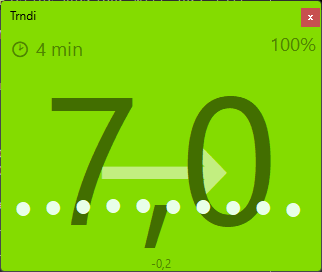
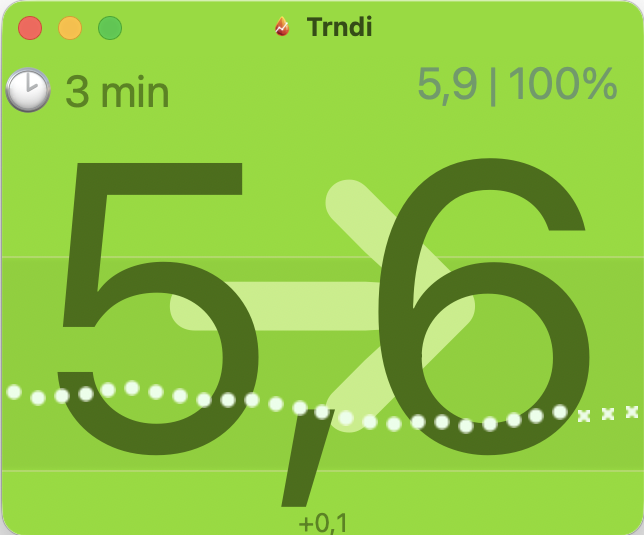
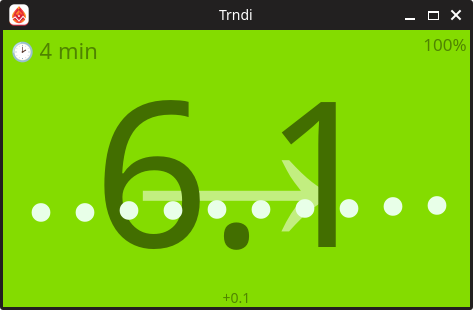
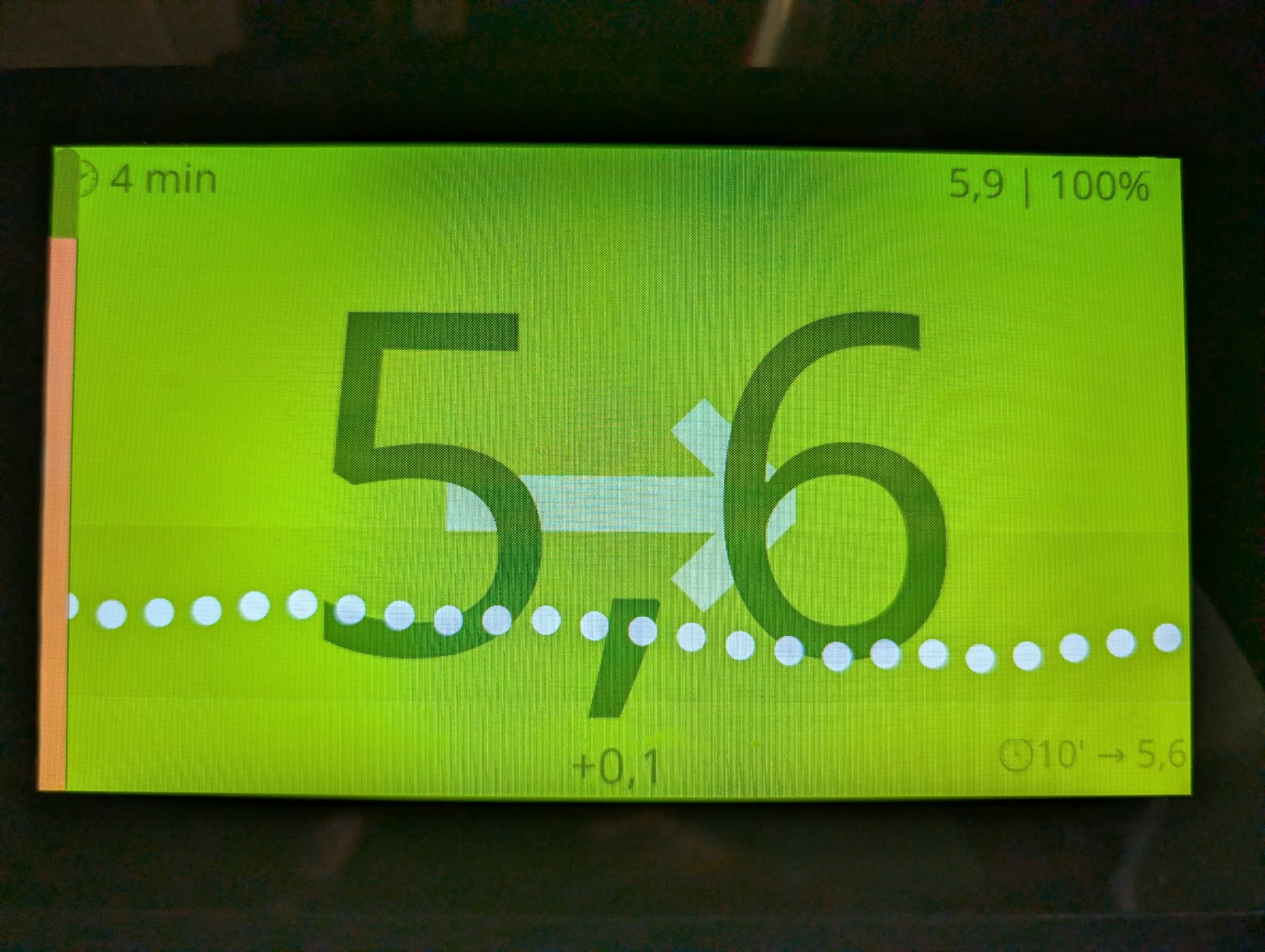
One big number
Your reading, the arrow, and how many minutes old it is. The whole window turns green, orange or red, so you can tell from across the room.
📊
The last few hours
A row of dots shows where you have been. You pick how far back it goes, and which colours mean high, low and "fine but drifting".
⏱️
Never lies about old data
When no new reading has come in, the number dims and a note tells you how long it has been quiet, so a stale value never looks fresh.
🔔
Alerts you can snooze
Desktop notifications, a sound, and it can pause your music to get your attention. Snooze for 15, 30 or 60 minutes when you are already on it.
🙈
Privacy mode
Sharing your screen in a meeting? One click hides the number and keeps the colours, so you still know where you are.
🌙
Dims at night
Between the hours you choose, a calm reading fades to almost black so a bedside screen stops lighting the room. Highs and lows still shine through.
🔮
A look ahead
Optional, experimental predictions show where the trend is heading 5, 10 and 15 minutes out. A guide, not a promise.
♿
Reads aloud
Text-to-speech can announce readings. High contrast mode, adjustable voice and speed, and controls that work with screen readers.
📱
Works on a wall screen
Touch-friendly and happy on a Raspberry Pi with a small display, by the bed or in the kitchen.
👥
More than one person
Parents and partners can follow several people, each with their own CGM system and settings.
🌍
In your language
Ships in six languages, including Swedish, German and French.
💝
Free, forever
No subscription, no ads, no account, no data collection. Open source under the GPLv3.